Acme Plus Tutorial
English Speaking Course
Fee Payment Guide: Follow these simple steps to easily pay your fees and unlock your course access.
1
Log In to Fee Management
Go to the "Fee Management" section on the login page. Enter your registered User ID and your 4-digit PIN, then click login.
2
View Your Ledger
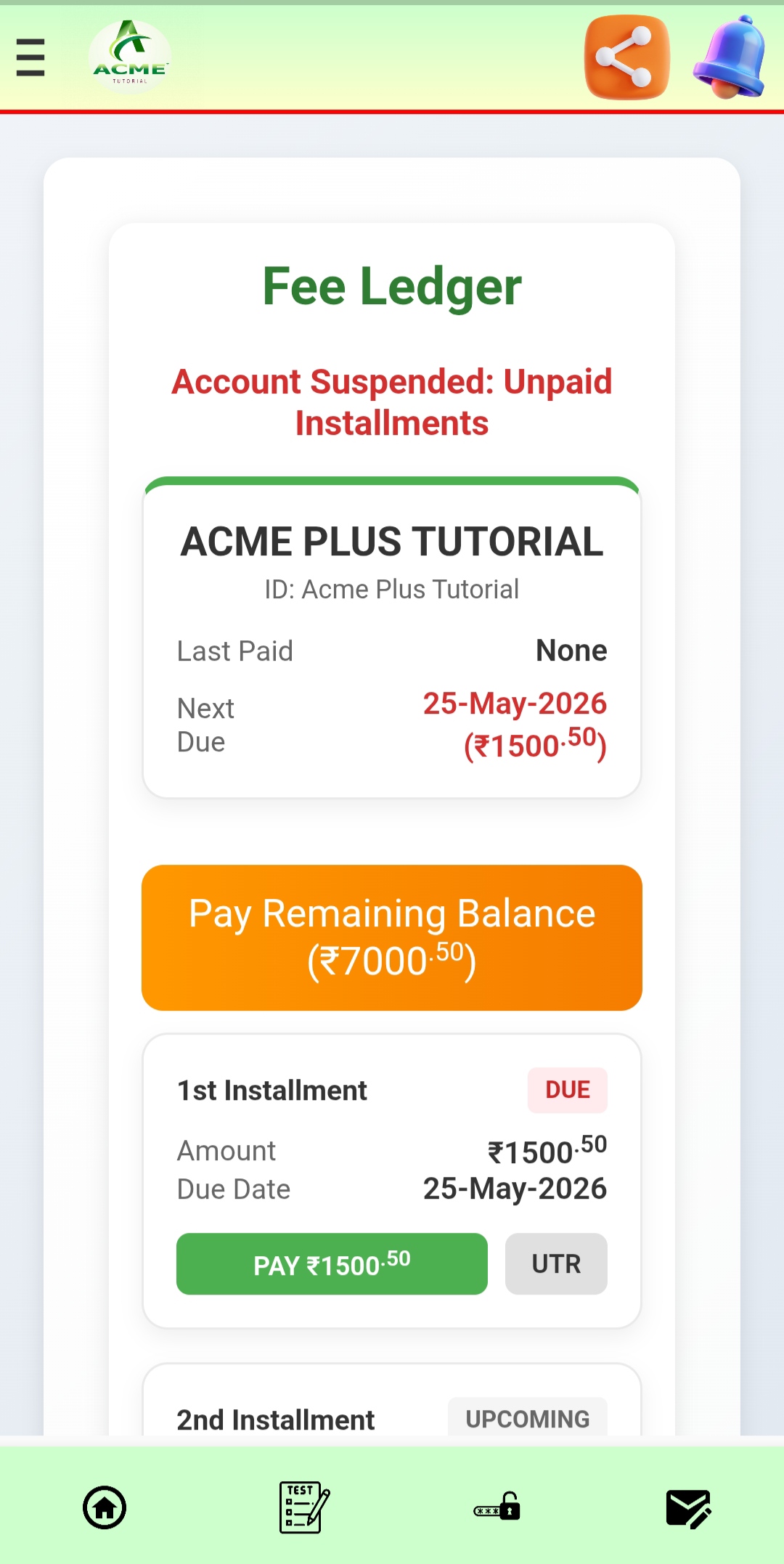
Once logged in, you will automatically be directed to your "Fee Ledger" page.
3
Choose Payment Option
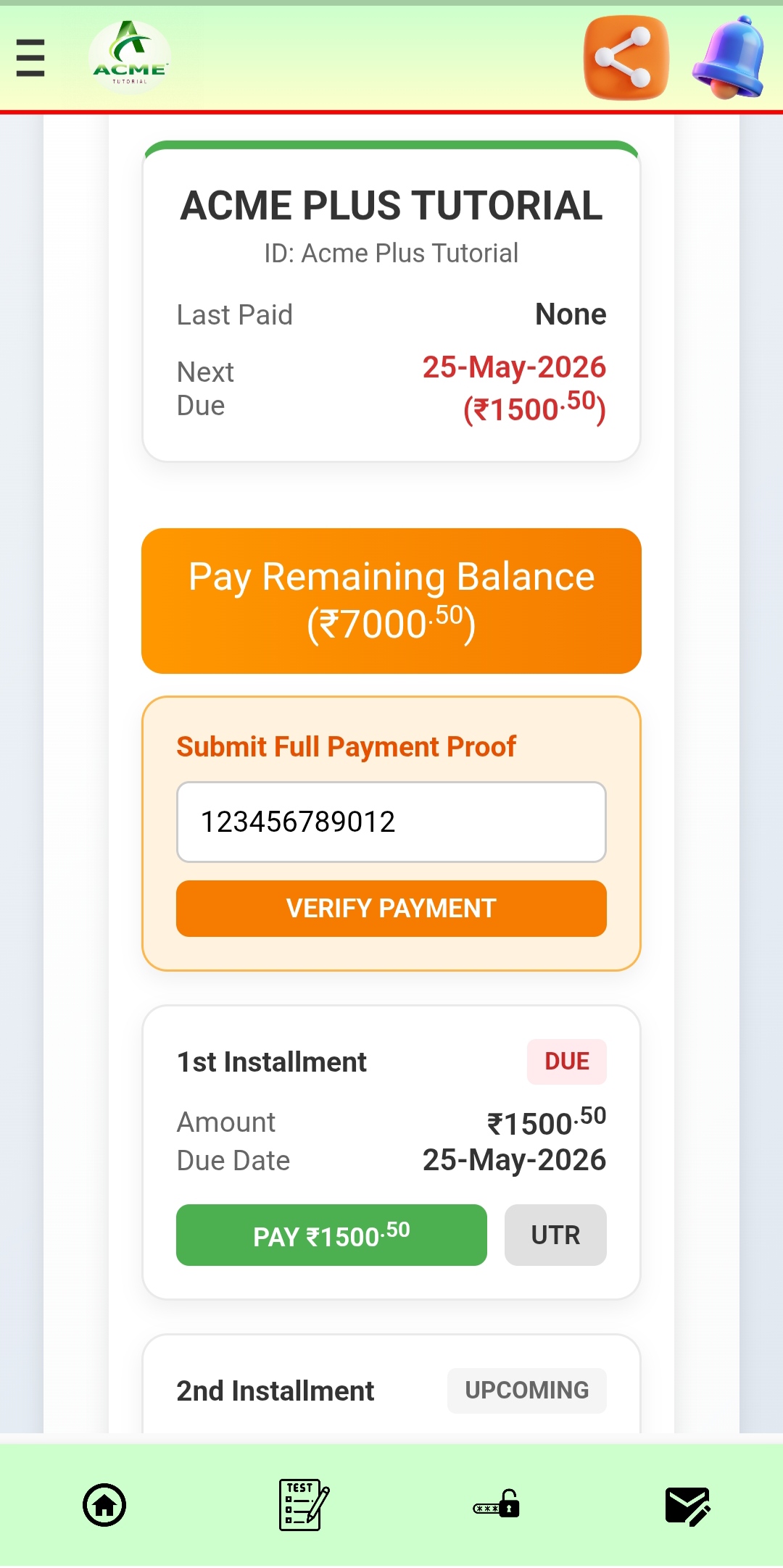
You can choose to pay your remaining balance in full, or pay your pending installment.
Course Fee Structure
- Total Course Fee: ₹7000.50
- 1st Installment: ₹1500.50
- 2nd Installment: ₹1500.50
- 3rd Installment: ₹1000.50
- 4th Installment: ₹1000.50
- 5th Installment: ₹1000.50
- 6th Installment: ₹1000.50
4
Initiate Payment
Click on the green "PAY" or the orange "Pay Remaining Balance" button to proceed.
5
Payment Gateway
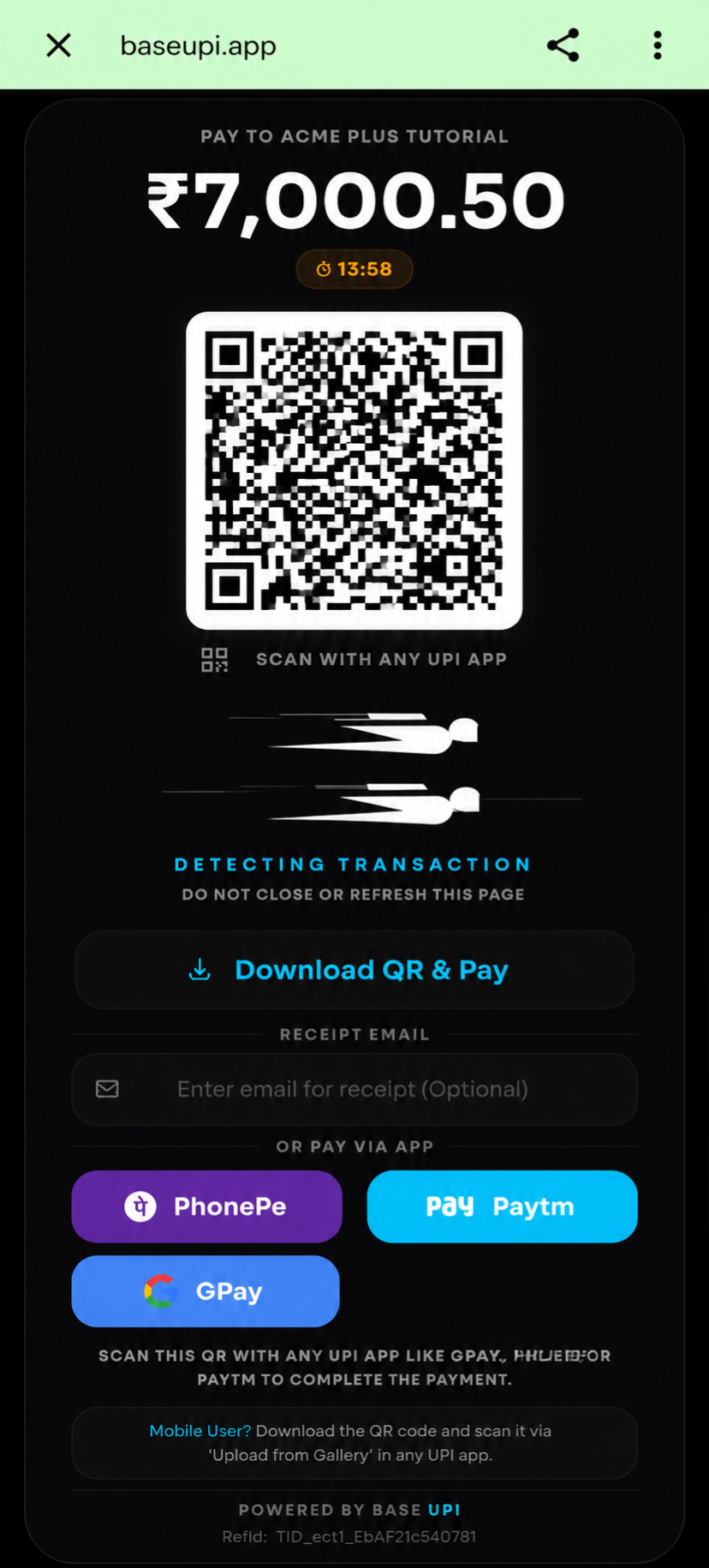
You will be securely redirected to our payment gateway page.
6
Select UPI App
Scroll down to the bottom of the gateway page and select your preferred payment app (e.g., GPay, PhonePe, or Paytm). This will automatically open the app on your phone.
7
Find Your UTR / Transaction ID
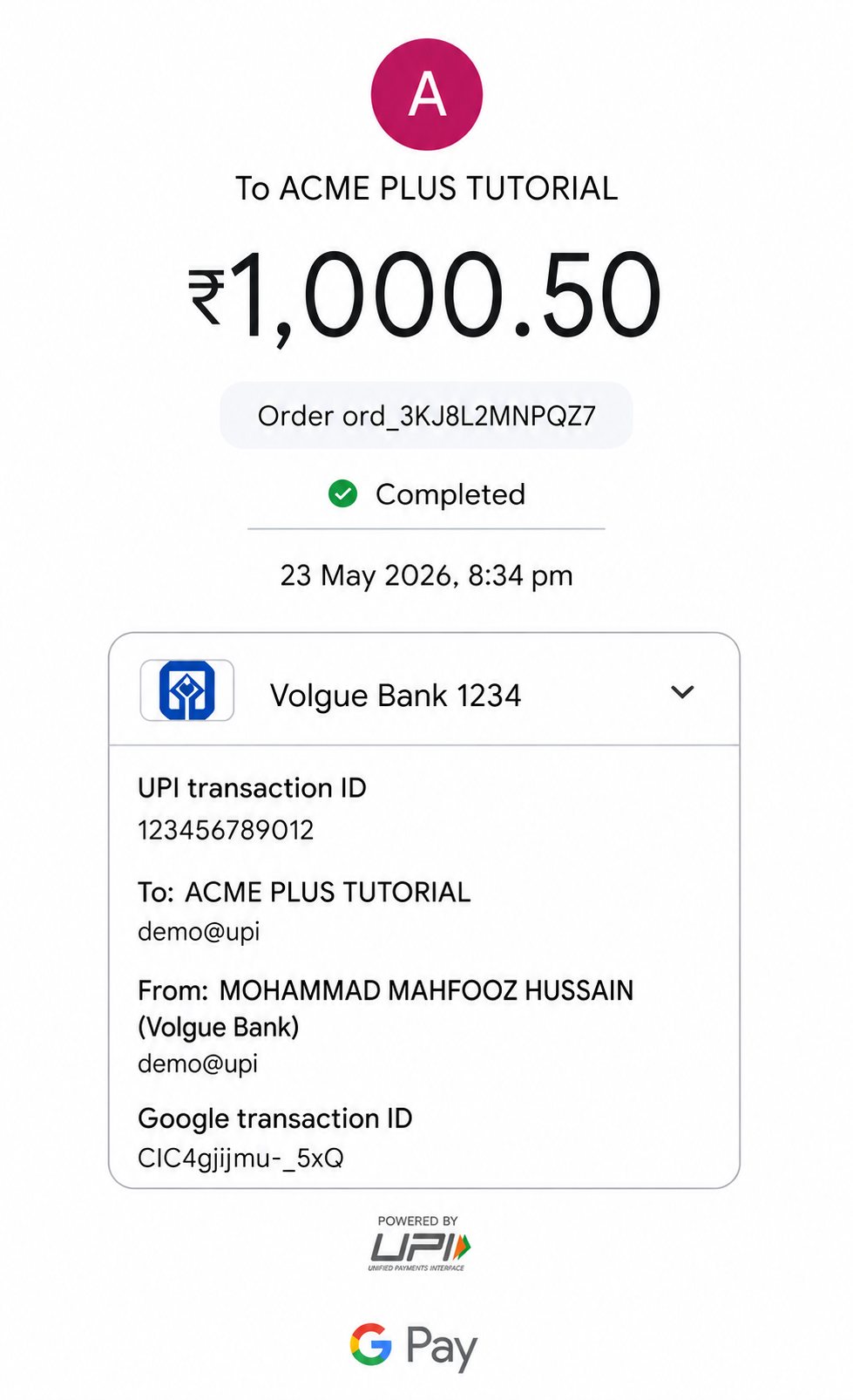
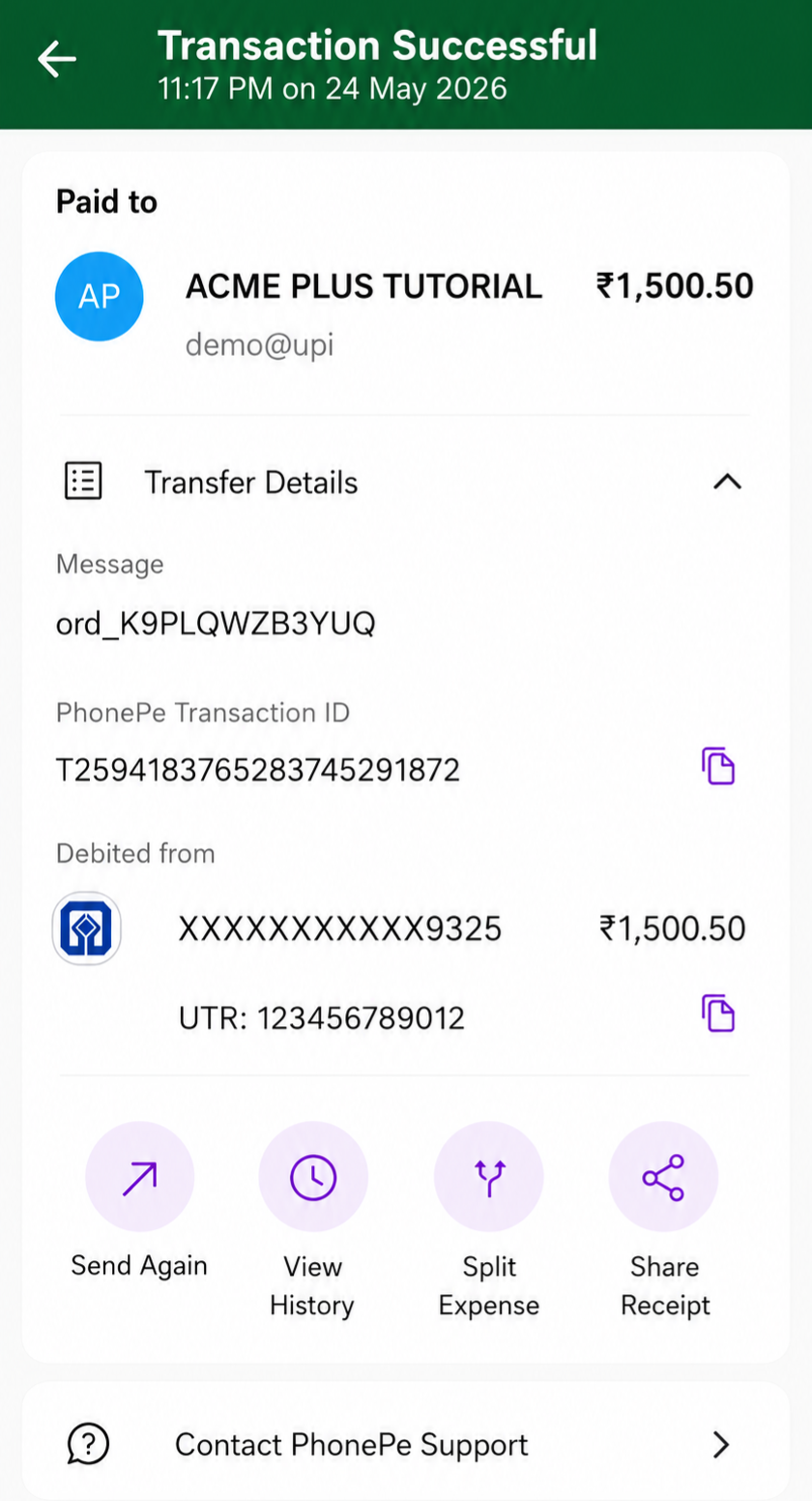
Complete the transaction successfully. On your app's success screen, locate the 12-digit transaction number. In PhonePe, it is called the UTR. In GPay, it is called the UPI Transaction ID.
8
Verify Your Payment
Copy that exact 12-digit number. Go back to your "Fee Ledger" page, click the "UTR" button to open the input box, carefully paste your 12-digit code, and click the "VERIFY PAYMENT" button.
9
Confirmation
The system will verify your UTR and automatically mark your status as "PAID".
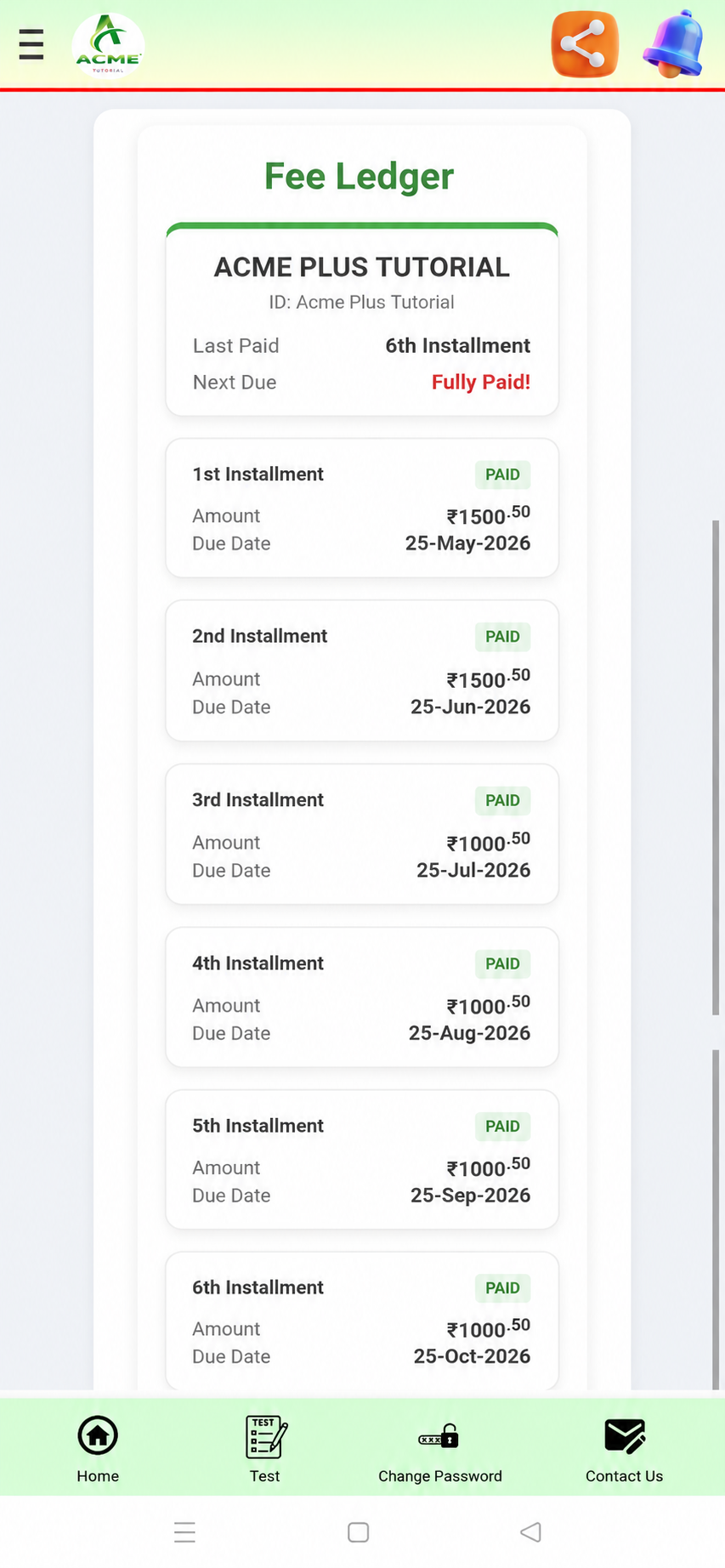
Note: Verification usually happens instantly, but if there is a bank delay, your payment will be temporarily logged as "Pending". Please be patient and check back a little later.